Blog
Customer accounts for digital sellers: when to enable buyer login and how to handle redownloads
Most digital sellers reach for customer accounts too late. Here is when to enable buyer login, how to run a clean redownload flow, and how an account portal cuts the "I lost my file" tickets that creep up as sales grow.

Most digital sellers ship their first product the same way: a checkout, an email with a download link, and a hope the buyer never loses it. That works for the first ten sales. By sale fifty, you are answering "I lost my file" emails on a Sunday morning.
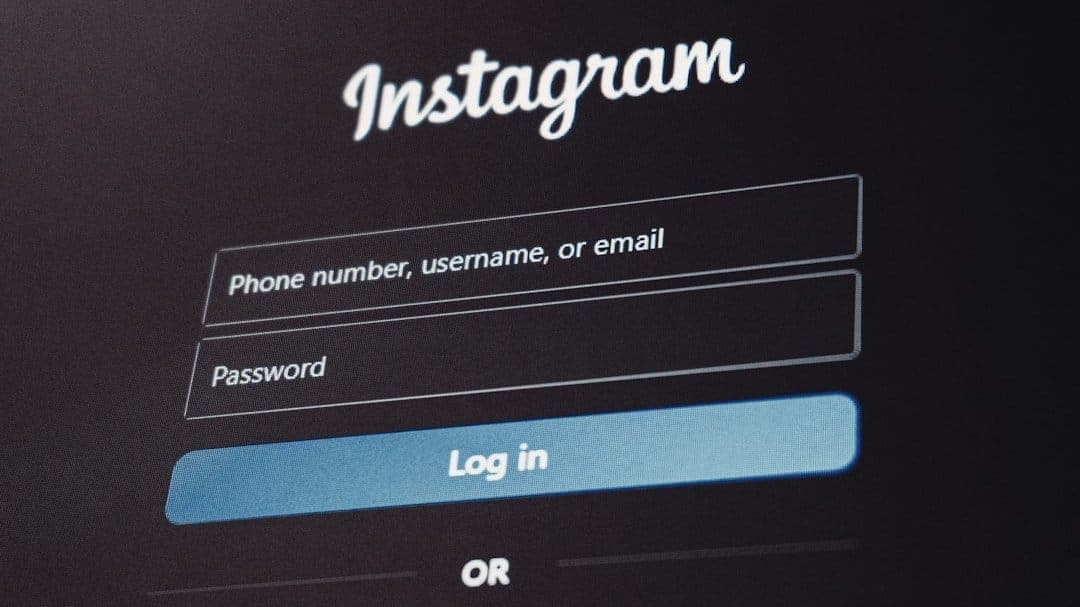
Customer accounts are the fix most sellers reach for too late. They give your buyer a place to log back in, see what they bought, and pull a fresh copy of the file without bothering you. They also change the math on chargeback defence, license recovery, and how often your post-purchase email even needs to load.
This post covers when to enable buyer login, how to handle redownloads cleanly, and how an account portal cuts the support tickets that creep up as sales volume grows.
What customer accounts actually do for a digital store
A customer account is a buyer-facing login that ties together every order the buyer has placed with you. They log in, see a list of products, and click to download.
That is the whole core feature. The value sits in what it removes from your week.
Without accounts, every download starts with the buyer searching their inbox for a delivery email that may be six months old or routed to spam. With accounts, every download starts with the buyer signing in to your store.
For most sellers, the support drop is the headline win. The secondary wins are quieter but real: a buyer who can re-access their library is a buyer who is more likely to come back for the next product.
When to require a login and when to leave guest checkout alone
Customer accounts and guest checkout are not opposites. Most stores run both, with guest checkout as the default and an account created automatically at purchase. The buyer can ignore it or claim it later by setting a password.
The question is rarely "should I require an account before checkout?" The answer to that is almost always no. Baymard Institute's post-purchase UX research puts forced account creation among the top reasons buyers walk away from a checkout that was otherwise about to convert.
The better question is "should an account exist for every buyer after the sale?" That answer depends on the product.
Products that benefit clearly from accounts
- Software with license keys. Buyers reinstall on new machines and need to recover their key without emailing you.
- Courses, video libraries, or anything that updates over time. A buyer who paid once should access the current version, not the file they downloaded in 2024.
- Bundles and product lines. A buyer who owns five of your products should see them in one place, not search five separate emails.
- Subscriptions and memberships. The account is the membership. Without it the buyer cannot manage their plan.
Products where guest checkout alone is fine
- One-off low-price PDFs. A $7 printable rarely justifies a portal. The post-purchase email is enough.
- Stamped or watermarked deliverables tied to a single buyer. Once the file is in the buyer's hands, the account adds little.
- Products you sell once and never update. No reason for the buyer to come back.
A practical rule: if the buyer might want a fresh copy in three months, give them an account. If the file is single-use, do not bother.
How redownloads should work
The redownload flow is where account systems prove their worth. A good flow handles four cases without your involvement.
Case 1: the buyer lost the email
This is the most common ticket in the inbox. The buyer paid, got the email, lost it to spam or a deleted-folder cleanup, and now wants the file back.
With accounts, they sign in, see the order, and download. Without one, you are the recovery mechanism: search your dashboard, find the order, resend the link. A clean portal turns a fifteen-minute task into a self-serve action. Stripe's Customer Portal documentation is a good reference for the same pattern in a different industry.
Case 2: the original download link expired
Most digital stores set a download window. Twenty-four hours, seven days, thirty days, something. Time-limited links protect against link-sharing.
Without accounts, an expired link means a support email. With accounts, the buyer signs in and the portal generates a fresh link, with a fresh expiry, tied to the same order. You keep the security benefit of expiring links and lose the support cost.
Case 3: the buyer hit the download cap
Download attempt caps stop a single buyer from seeding your file across the internet. The downside is that a buyer with a flaky connection on a large file can hit the cap by accident.
With an account portal, you can let the buyer request additional attempts in-app, log the request, and either auto-grant a fixed number or hold for your approval. The legitimate buyer recovers in under a minute. The bulk-sharer hits a wall.
Case 4: the buyer needs the file from a different device
A buyer downloads on their phone, then realises they need the PDF on their laptop. Without an account, they forward the email and hope the link still works. With an account, they sign in on the second device and download.
Cutting the "I lost my file" support ticket count
Pull thirty days of your support inbox and tag every ticket. For most digital stores selling to consumers, three categories cover seventy percent of volume:
- Lost the delivery email.
- Download link expired.
- Need the file on a different device.
Every one of those is a ticket the customer could have closed with a portal. If your support volume on those three categories is above five tickets a week, the math is straightforward: each ticket is five to ten minutes of your time, and the portal removes most of them at zero ongoing cost.
Sellers who switch from email-only delivery to a portal-backed flow often see support volume drop sixty to seventy percent in the first month. The remaining tickets are genuine product questions, refund requests, and the occasional payment-processor confusion, which a portal cannot solve and should not try to.
The setup work is one afternoon. Connect the account feature in your delivery platform, add the login link to your post-purchase email, and drop a "manage your downloads" link in your store footer. The buyer-facing changes are small. The inbox change is large.
The recovery flow most sellers get wrong
The detail that catches sellers out is the gap between "buyer paid as a guest" and "buyer wants to log in three weeks later." If the account was never claimed, what does the buyer see when they try to sign in?
Three approaches work. Pick one and apply it consistently.
Approach 1: auto-create at purchase, prompt to claim later. Every purchase creates an account using the buyer's email. The post-purchase email includes a "set your password" link. If the buyer ignores it, they can still claim later through the standard "forgot password" flow against their purchase email.
Approach 2: magic-link login. No password. The buyer enters their email, gets a one-time login link, and clicks through. Lower friction, slightly higher long-term security risk, dependent on email deliverability.
Approach 3: optional account creation at checkout. A checkbox on the checkout form, default unchecked. Buyers who want an account get one; buyers who do not, do not.
Approach one is the safest default for most stores. It captures every buyer without adding checkout friction, and the claim flow is familiar enough that buyers do not need a help article.
Whichever you pick, one line near the bottom of the post-purchase email is enough: "You can access your downloads any time at yourstore.com/account." Our walkthrough of digital file delivery for modern stores covers the underlying delivery layer the portal sits on.
Account portals as chargeback defence
One more reason to enable accounts does not show up in the support-ticket math: dispute resolution.
When a buyer files a chargeback claiming "I never received the product," your evidence is the delivery log. Timestamped delivery records, IP addresses, and download confirmations turn most of those disputes into wins.
An account portal extends the evidence chain. If the buyer logged in three weeks after purchase, downloaded the file, then filed a chargeback two weeks later, you have a login record showing access well after the purchase. Payment processors take that seriously, and the login log is often the difference between a win and a refunded sale plus a fee.
How accounts change your store's gravity
Once buyers have a place to log back in, your store behaves more like a destination and less like a one-way checkout. Buyers who own one product see your other products in the portal. Buyers you released a v2 of can grab the update without you running an email campaign.
Shopify's writeup on customer accounts for digital storefronts covers the retention shift sellers see when they enable accounts. The pattern translates: the second purchase from an existing buyer is dramatically cheaper to win than a first purchase from a stranger, and an account portal is the place that second purchase usually starts. For digital sellers the effect is sharper, because your incremental cost on a second sale is almost zero.
A short setup checklist
If you are turning on accounts for the first time, work this list in order.
- Enable the customer-account feature on your delivery platform. SendOwl's customer-accounts feature is plan-gated, so check that your current plan covers it (the pricing page lists which plans include it).
- Decide your default: auto-create at purchase, magic link, or optional checkbox.
- Update your post-purchase email to include a clear account-portal link near the bottom.
- Add a "your downloads" or "account" link to your store footer.
- Set a sensible download-attempt limit and an in-portal regeneration policy.
- Pull thirty days of support tickets after launch and tag the categories. The drop in lost-file and expired-link tickets is the metric that tells you the portal is working.
If you sell software with license keys, surface the keys clearly in the portal. License recovery is the most common reason a software buyer logs back in, and a portal that hides the key behind three clicks still generates support email.
When to leave it off
There are stores where customer accounts add complexity without payoff. If you sell exactly one product, never update it, never run a sale, and never plan to release a second product, the account layer is overkill. A clean post-purchase email and a generous expiring-download window does the job.
But that store is rarer than people think. Most sellers who say "I will only ever sell one product" end up with three products and a bundle within eighteen months. Switching accounts on later is harder than starting with them from day one, because by then you have a year of buyers without accounts and a recovery flow to build retroactively.
The cheaper path is to enable accounts early, run them quietly in the background, and let them earn their keep as your catalogue grows.
SendOwl makes selling digital products simple. Upload your files, set your prices, and let buyers manage their own downloads through a clean account portal. Get started selling digital products for free today.

community
Join our newsletter for the latest tips, updates,
and exclusive offers to supercharge your digital product sales.